2024
client
OmniSynkAI is an e-commerce order and inventory management integration, helping sellers save time, reduce manual work, and optimize their listings across multiple platforms with AI.
project brief
As lead product designer, I designed 3 iterations of the autofill product listing flow. I also designed the Ask Omni chatbot, utilizing AI/NLP and conversation design principles.
results
78% user satisfaction with autofill capability
4.2/5 rating for discoverability of advanced autofill features
roles & skills
Prototyping
Conversational UX
Design critiques
tool stack
Figma
Figjam
Maze
deliverables
Autofill Product Listing
Ask Omni Chatbot
Accel Design System
dream team
Head of Design
Technical PM
UX Research
Solution

Background
The Hidden Work of Selling Everywhere
A small business owner's main goal is to maximize sales by pushing their product onto multiple e-commerce platforms. Thus, they're burdened with the repetitive task of uploading the same product listings to platforms such as Amazon, Shopify, eBay.
On top of that, small business owners must juggle many different hats to keep overhead low, such as managing inventory, customer service, and marketing. It’s exhausting, overwhelming, and can lead them to make costly errors from discrepancies across platforms.
Findings
Sellers Trapped Between Time and Scale
I worked closely with our User Research (UXR) team to better understand the challenges our users face. Through 456 survey responses and multiple user interviews, we uncovered some key struggles:
Managing multiple platforms is overwhelming:
25% of sellers said syncing product listings across different platforms was a nightmare
24.3% said marketing and advertising were among their biggest struggles.
It’s expensive to stay competitive:
27.9% of multi-platform sellers reported hiring virtual assistants just to keep up
25.2% resorted to third-party outsourcing for listing management.
🔹The verdict? Time is money, and sellers don’t have enough of either.
Many sellers were stuck either spending hours listing and updating products manually, or paying for expensive workarounds like hiring assistants or subscribing to inventory management tools.
My Approach
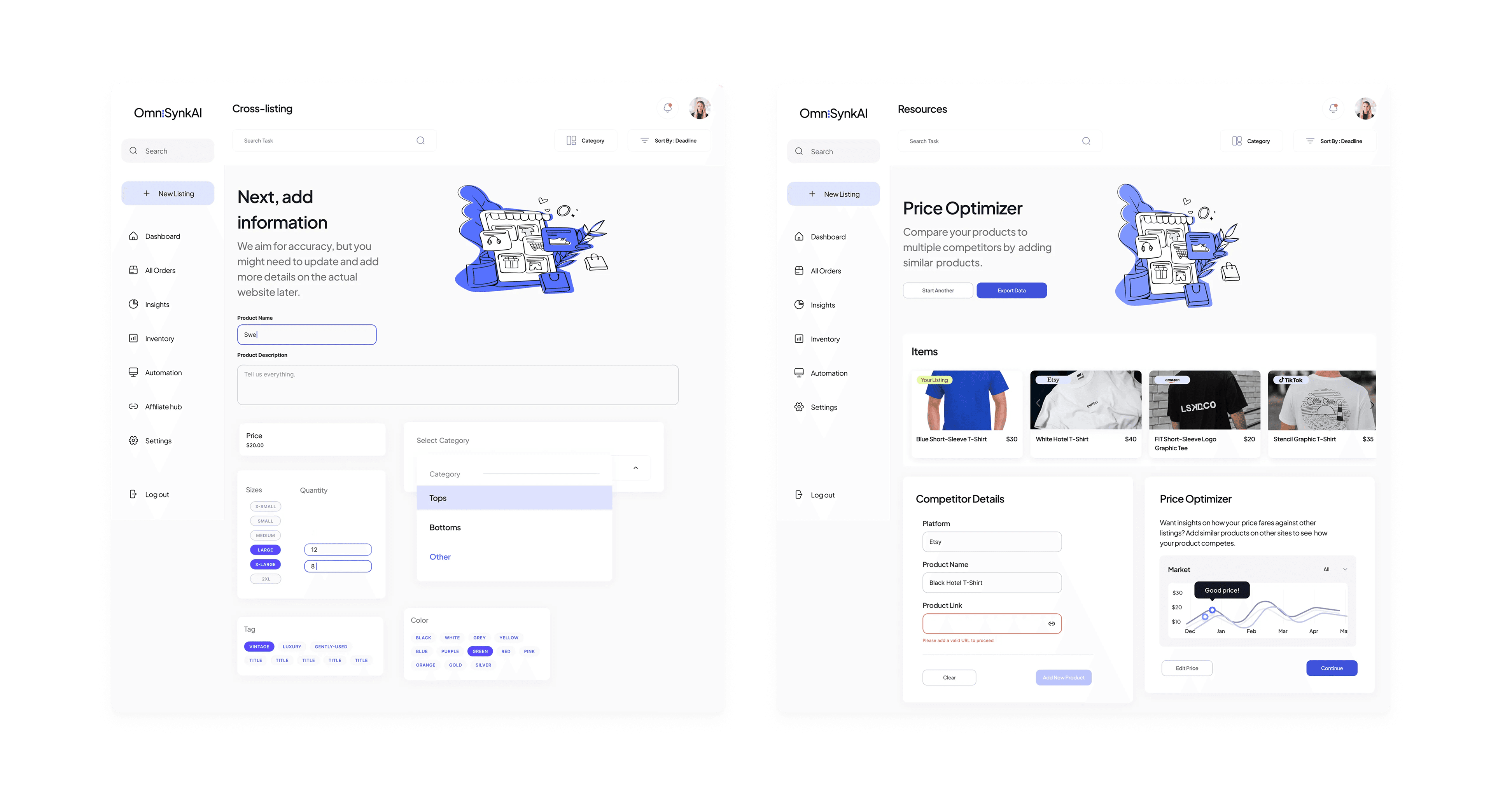
Cross-listing (v.1)
In the early days, we referred to this feature as Cross-Listing, and the design was centered around:
Bento-box UI to visually group related actions
Progressive disclosure to make the process feel effortless
A separate Price Optimizer feature to suggest competitive pricing
💡 What I learned: From this iteration, users expressed that lack of clear visual hierarchy made the interface feel cluttered and harder to navigate. In terms of scalability, the design couldn't efficiently support data-heavy fields, which would be needed to handle the nuances and complexities that come with product listings. Compared to competitors like Etsy and Shopify who have more refined UX patterns, this design would have put our product at a disadvantage to our sellers.
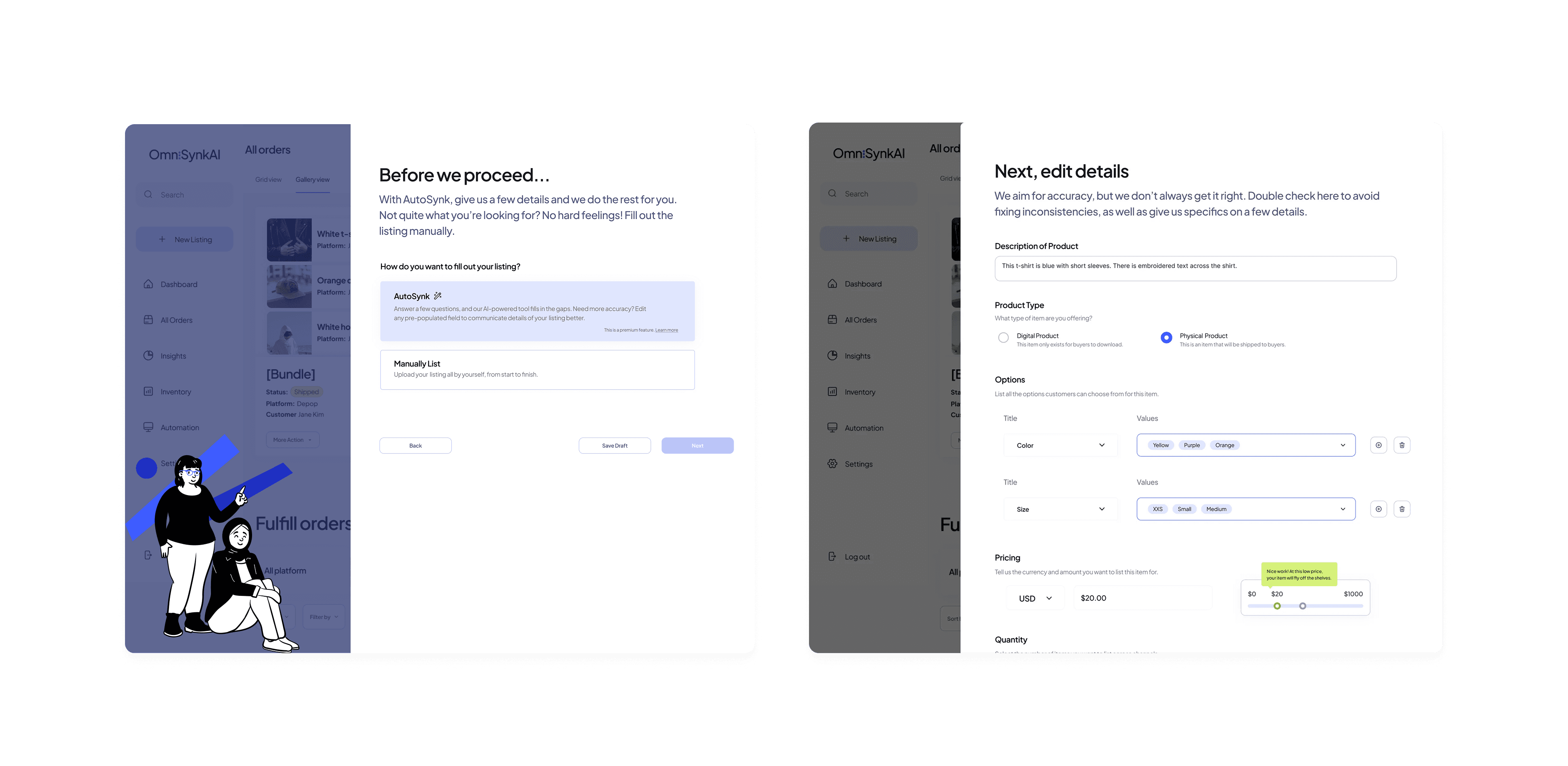
Autosynk: AI-Driven Listing (v.2)
With ideas to enhance the page's information architecture and integrate automation, I imagined how artificial intelligence could be utilized to do more of the heavy lifting when it came to product listing. I redesigned the experience with:
AI-powered listing vs. manual listing options
Users can decide between manually listing or using Autosynk (the predecessor to the final Autofill feature).
We asked users for core information about their listing. Users could then edit or add in more details.
Price Optimizer directly integrated within the flow
A single-page review with all listing details before publishing
💡 What I learned: AI was helpful, but users wanted more control over how it generated content, especially for different sales channels.
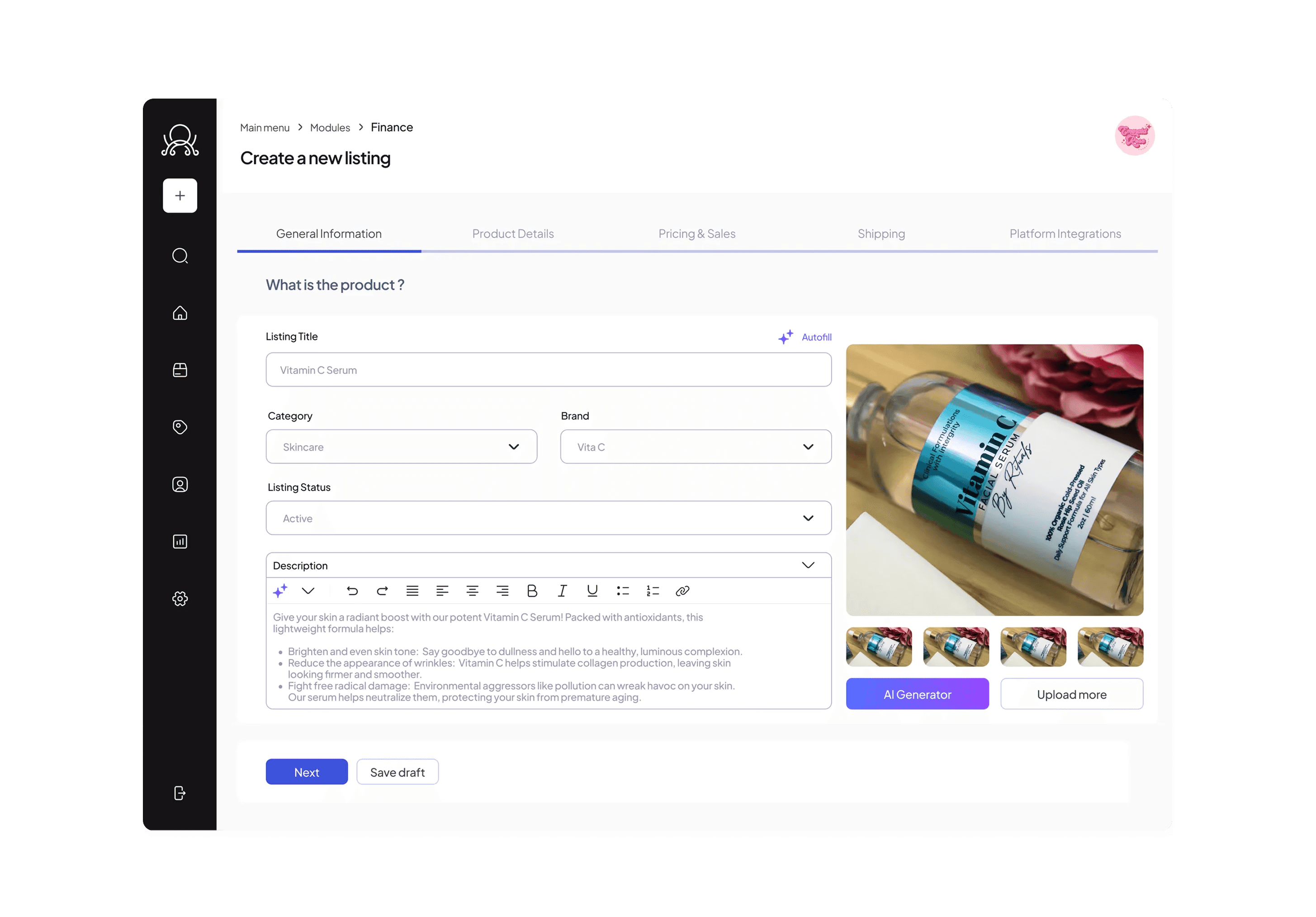
AI Enhancements & Adding Feedback Loops (v.3)
As OmniSynkAI’s design system evolved and I became a design lead for a new chatbot flow, junior designers contributed and explored our listing process by implementing:
Autofill buttons & tiles for easier AI interaction
Form steppers to guide users through the process
Real-time AI feedback loops to refine suggestions
💡 What they learned: Despite Autosynk being more customizable, discoverability was still an issue, as some users didn’t realize that feature existed.
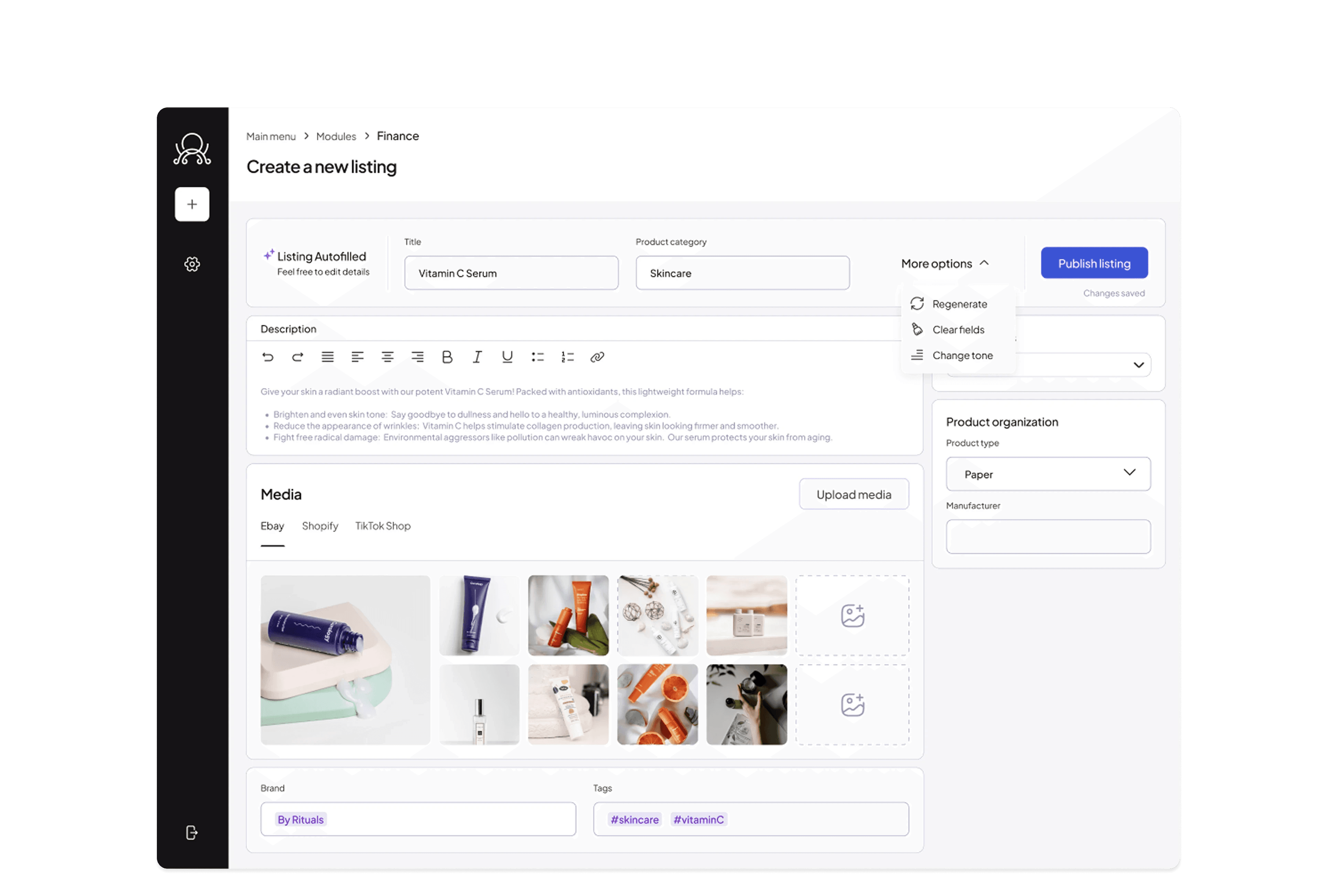
Autofill Discoverability (v.4)
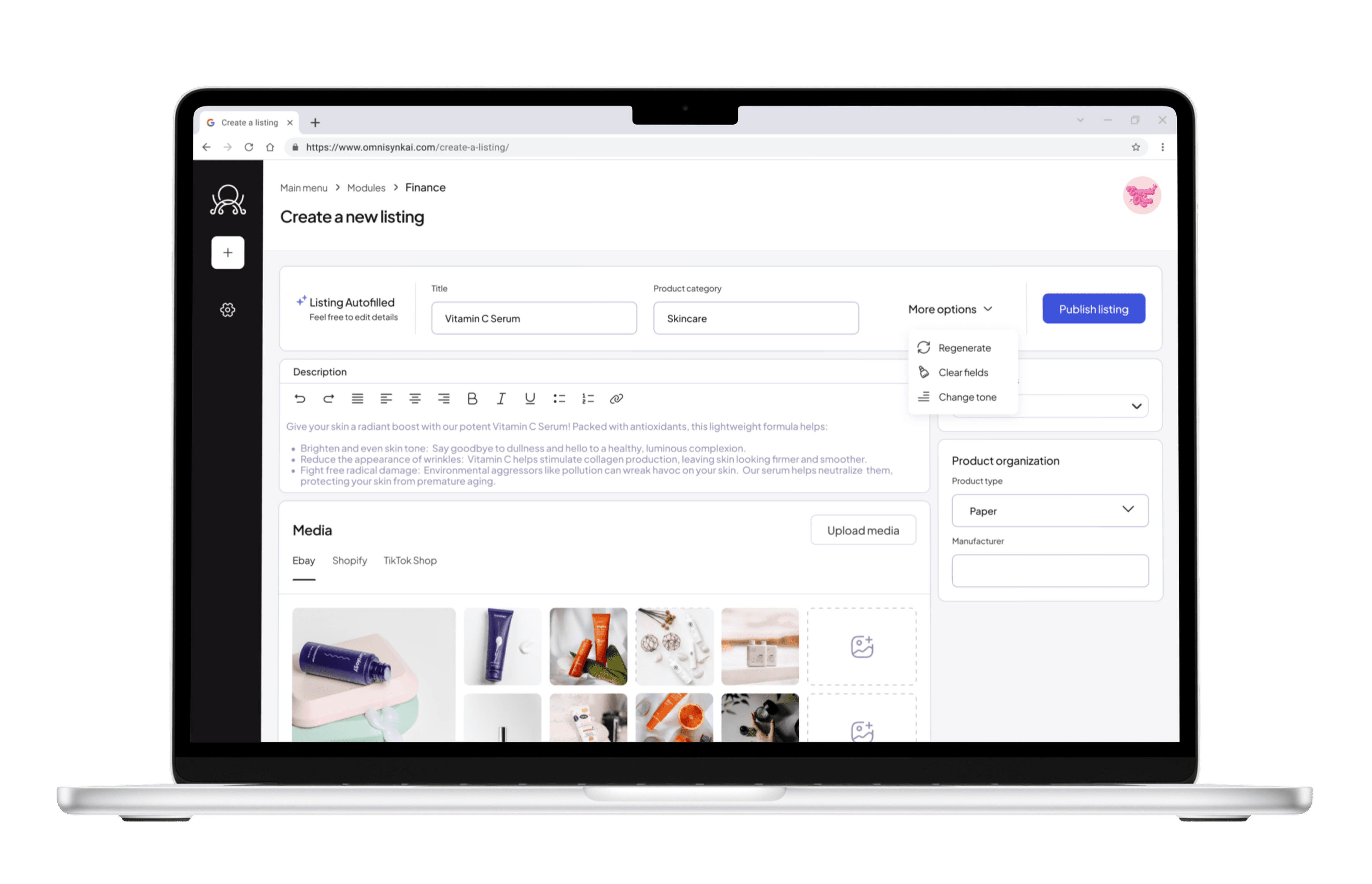
When leadership decided Autofill Product Listing would be a core launch feature, I returned to refine the progress the junior designers made:
Enhanced Autofill visibility – Redesigned CTA placement for clarity
Flexible AI prompts – Users could fine-tune their listing with regeneration and change tone capabilities
Live preview – I implemented an add-on feature for users to visualize how listings would appear on each platform before publishing
What was the impact?
With the User Research (UXR) team, I prototyped the listing flow to conduct pre-launch usability testing with Maze. From our testing, we learned the following:

Despite the startup sunsetting, I outlined key success metrics for validating the feature’s success in the long run:
Faster listing times – We would have measured how much time sellers saved using Autofill
Conversion rates – How many free users upgraded to paid plans after trying Autofill on the freemium plan
Customer Effort Score (CES) – How easy and accurate users found the listings